
Anivow Care · For addiction clinicians
See the patient’s week before the next session.
Invite patients. Assign recovery programs. Review information patients choose to share. Prepare the next appointment in one workspace.
What is Anivow Care?
The addiction clinician workspace connected to the patient app.
An addiction clinician invites a patient and assigns a recovery program. The patient completes the work in Anivow. Information the patient shares appears in Anivow Care.
Addiction clinicianCreate and assignPatient appFollow and completeAnivow CareReview and adapt
Why centers use it
Spend less time reconstructing the week.
Anivow Care is designed around the clinical loop: assign recovery work, let the patient live their week, review what was explicitly shared, then walk into session prepared.
Clinicians assign activities and program work.
Patients check in from the Anivow app.
Care teams review descriptive comparisons and recent shared events.
Session Overview organizes source-linked facts since the last session.
Daily patient check-ins
Useful signal, not surveillance.
Patients use Anivow between appointments. Clinicians see the activity each patient agreed to share with the care team.
Addiction clinician workspace
Built for the questions addiction clinicians ask first.
What was shared recently?
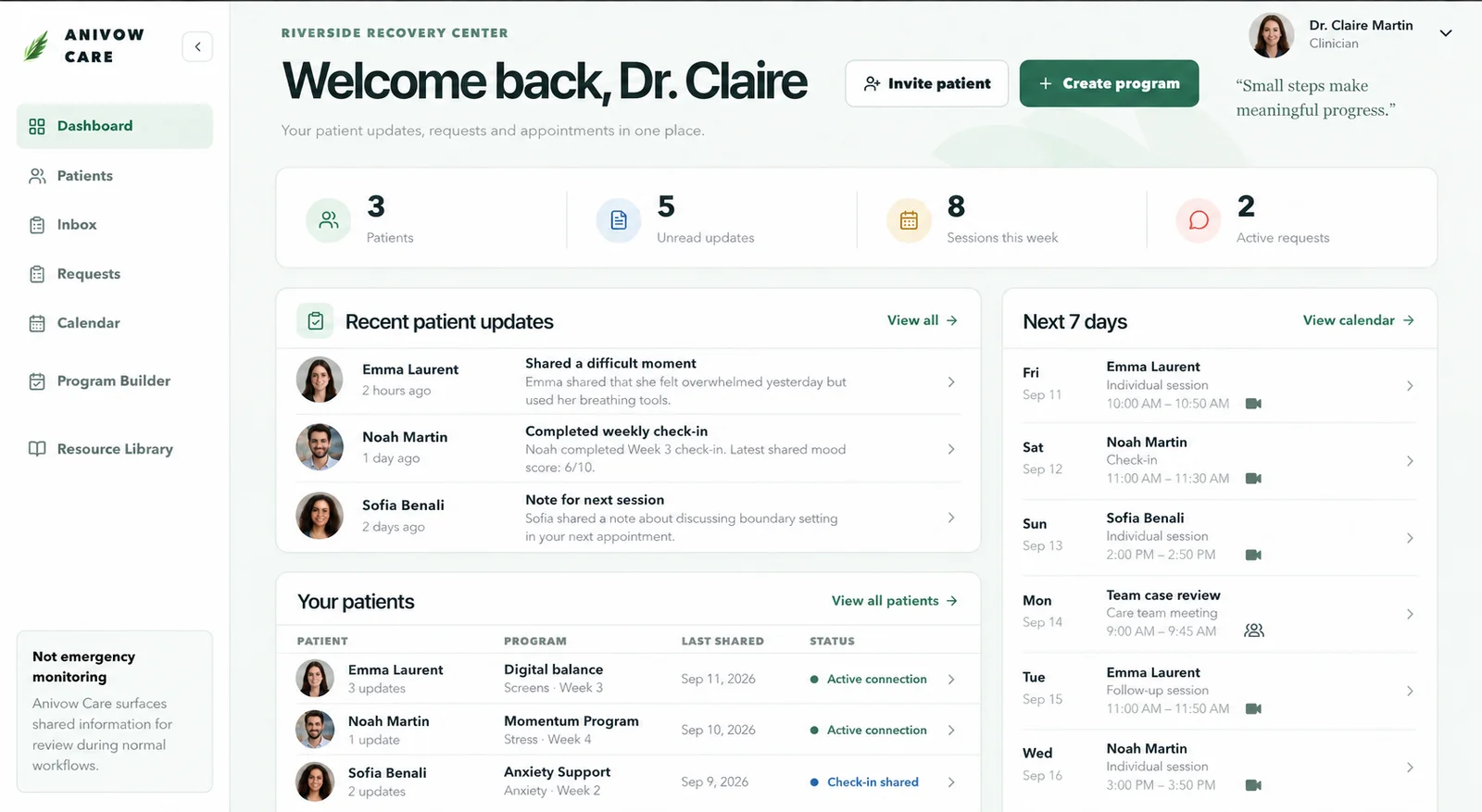
A dashboard lists recent shared check-ins, contact requests and overdue assigned activities in chronological order, without patient ranking.
What changed?
Patient detail pages show factual craving and mood comparisons, patient-selected triggers, activity progress and chronological timeline events.
What information was shared?
Session Overview gathers source-linked facts into a concise view clinicians can independently interpret before the appointment.
What happens next?
Clinicians can assign exercises and follow progress through clinic-defined programs.
Program Builder
Build recovery programs around the way you already work.
Clinicians are not limited to one fixed Anivow plan. Create a reusable program from scratch, start from an Anivow or center template, then customize a patient-specific copy before assignment.
- Create flexible weeks and activities
- Save personal reusable programs
- Use center-wide templates without changing the original
- Customize and assign a different plan to each patient
- Update future recovery work as treatment evolves
8-Week Alcohol RecoveryPatient-specific program · Active
Who uses what?
One platform, clear responsibilities.
Addiction clinician
Manages their patients, creates personal programs, assigns care, reviews shared progress and prepares sessions.
Center director
Manages clinicians and organization settings, and creates center-wide program templates when standardization is useful.
Patient
Uses the Anivow mobile app to follow the assigned program, complete activities, check in and track progress.
Privacy by design
The boundary is visible by default.
Anivow Care does not diagnose, predict relapse, replace clinical judgment, or provide emergency monitoring. It helps care teams review explicitly shared information.
Shared with care team
- Daily check-ins
- Craving, mood, confidence and sleep
- Assigned activity completion
- Self-reported use events
- Explicitly shared reflections
- Clinician contact requests
Private with Snow
- Private Snow conversations
- Private journal entries
- Unshared reflections
- Information the patient did not agree to share
For addiction treatment centers
See the patient app and addiction clinician workspace together.
Review the patient app, Anivow Care, center administration and privacy boundaries in a guided demo.